Start calm. Stay organized.
End the day light.
Tasks, notes, calendar and focus — gathered into one unhurried space that plans your day and gets out of your way. No noise, no clutter, no streaks to keep.
Free to start · No ads · No streaks
Why Lullim
Organizing your life shouldn't add to the noise.
The usual
- A different app for tasks, notes and your calendar
- Endless notifications pulling your focus
- Streaks and badges nagging you back in
- The day ends and you're not sure where it went
With Lullim
- Tasks, notes and calendar together in one quiet place
- Nothing pings you — you come to it when you're ready
- No streaks, no guilt — just the day in front of you
- Close each day knowing exactly what got done
Everything in one calm place
One quiet home for the whole of it.
Weekly planner
Plan the shape of your week
Step back before the week begins and lay it out — drop tasks onto the days they belong, see where it's full and where there's room, then let it go.
- Drag tasks across the week
- See each day's load at a glance
- Set the week, then forget it
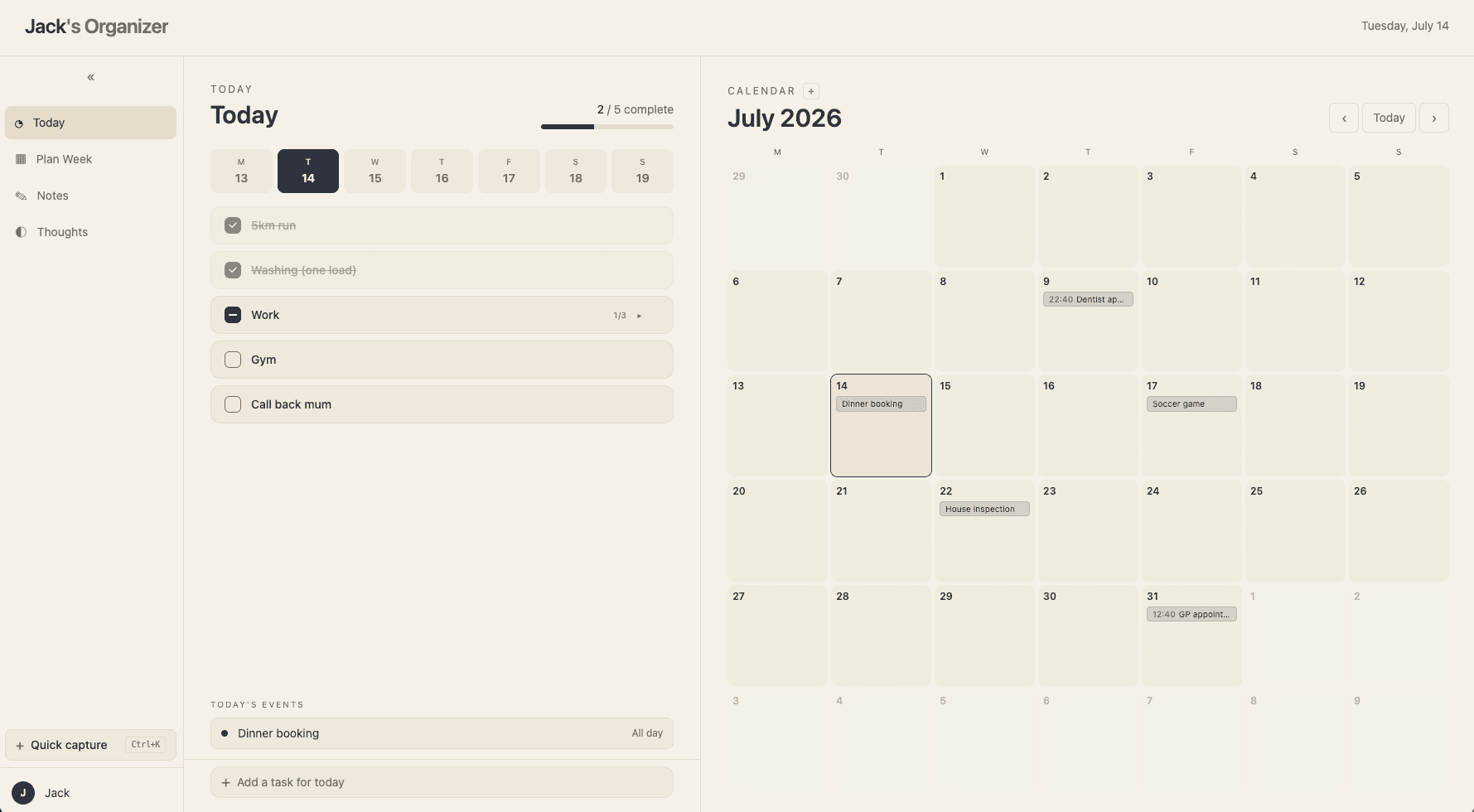
Today
Open the day already planned
Your tasks and your calendar sit side by side, so the first thing you see is simply what's ahead — nothing to dig for, nothing to set up.
- Tasks and calendar in one view
- Drag to reschedule in a breath
- Quick-capture loose thoughts
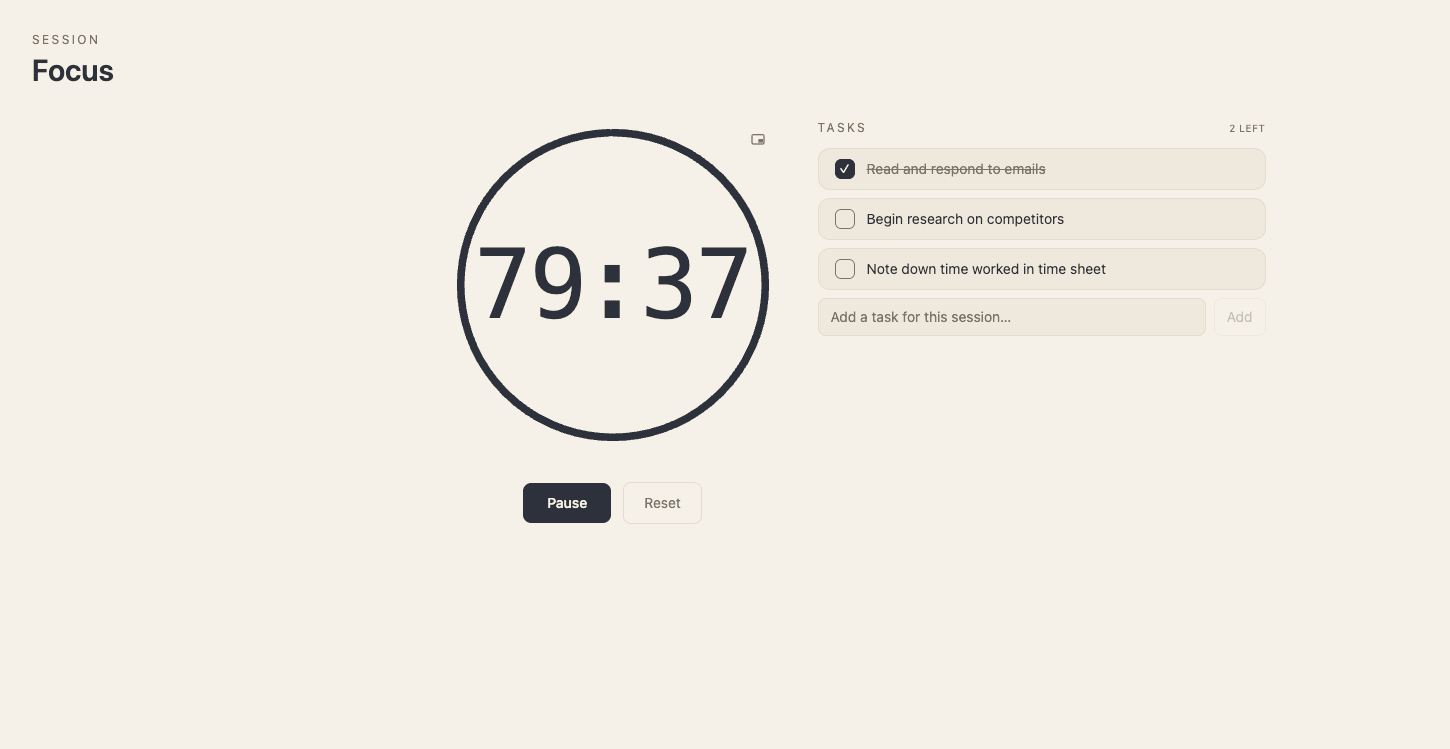
Focus
Move through it, focused
Start a focus session or let Pomodoro pace your work and breaks. Pop the timer into a small floating window and the rest of Lullim waits quietly in the background.
- A timer that gets out of the way
- Floating pop-out window
- A custom menu add-on — on when you want it
Notes
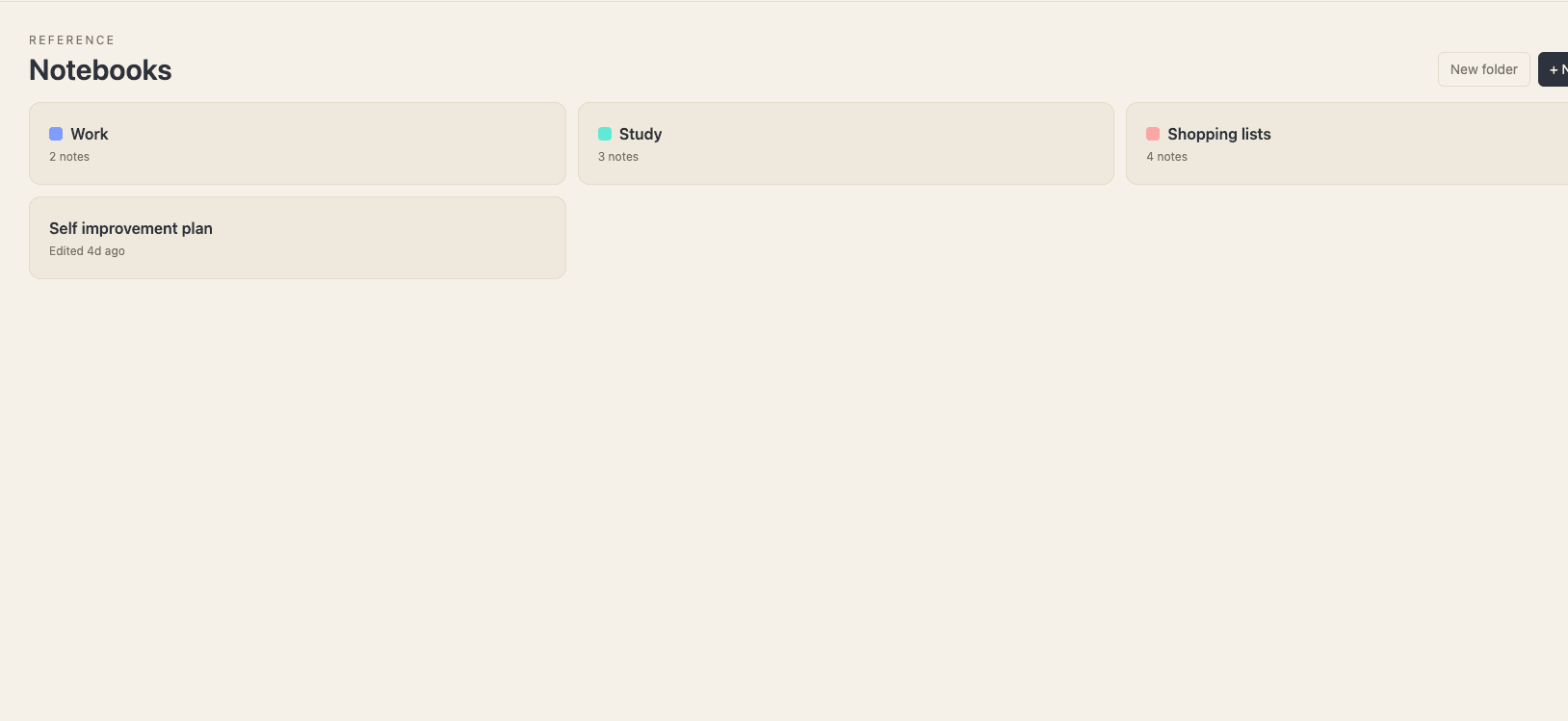
Keep every thought in one place
Jot a quick line or write something longer, gather notes into notebooks, and drop in a checklist when a note turns into a to-do. It all stays where you left it.
- Notebooks and folders
- Rich text and checklists
- Saved as you go
Quick capture
Catch a thought before it's gone
A loose idea doesn't need a home yet. Jot it down in a breath and sort it later — your head stays clear, and nothing slips through.
- Capture in a single keystroke
- Sort into tasks or notes later
- Nothing lost, nothing nagging
Fits your world
Connect your Google Calendar.
Overlay the calendar you already live in, so meetings and important dates sit right beside your tasks — no copying, no switching apps.
Themes
Set the mood. Lullim follows.
Six calm palettes, from warm paper to deep pine. Choose one and the whole app settles into it. Try them here.
Modular add-ons
Make it yours — a piece at a time.
Lullim stays quiet by default. Every extra is opt-in from your settings, each with a home of its own. Turn on only what earns its place.
In their words
Quieter days, in good company.
“It's the first planner that doesn't make me anxious to open it. I plan the morning and the rest of the day just flows.”
“Tasks, notes and my calendar finally live in one place. I close my laptop at six actually knowing what I did.”
“No streaks, no badges, no noise. Lullim just holds my day quietly and lets me get on with it.”
The calm difference
Built to quiet the day, not fill it.
Make every day feel a little lighter.
Set it all down in one quiet place. Lullim is free to start — no clutter, no pressure, just your day made simpler.
Free to start · No credit card